
Deployment using a server image
Step By Step Guide on Deployment of New Server Image
Backing up databases
Backup Procedure
-
Backup All Databases on the Old Server
Execute the provided script to back up all necessary databases.
-
Synchronize couchdb Database
For nlims_db, sync it to your local machine.
-
Blis Drivers
Copy iBlis Drivers that are found in the Server
PM2 Show
PM2 List
-
Backup all iblis drivers available on the server
-----------------------------------------------------
Recloning/restoring image
-
Reclone server with new image using your clonezilla bootable device. Refer to the document on setting up clonezilla
NB: Make sure you have a copy of any old image to revert to in case the new image fails
-
Test the server, test all applications and services
-----------------------------------------------------
Restoration of New image
-
Change Server Name to Site Name in /etc/hostname . This sets the system's hostname and contains only the hostname of the machine.
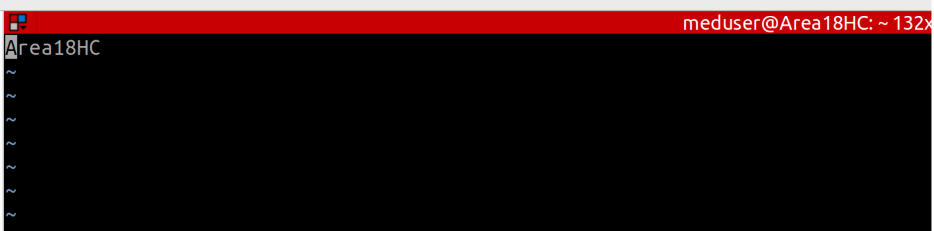
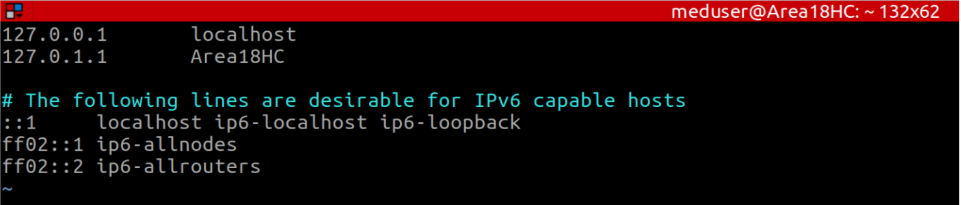
2. Add site name in /etc/hosts. This file is used for hostname-to-IP address mapping and helps in local name resolution.
3. Change IP Address to Facility’s IP address in /etc/netplan/. See example below:
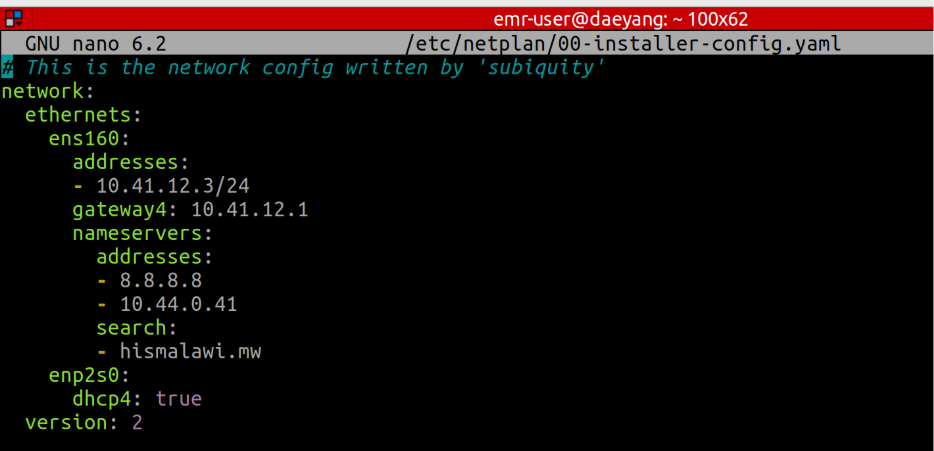 Apply changes by running netplan apply
Restore all databases
-
Nlims_db sync to server from local machine
-
Restore configurations
-
Restore Databases (Use tmux to manage your sessions and it will also allow you to remotely monitor)
-
Before you restore your databases, make sure you make changes to mysql configuration in /etc/mysql/mysql.conf.d/mysqld.cnf
Set “innodb_strict_mode = 0”
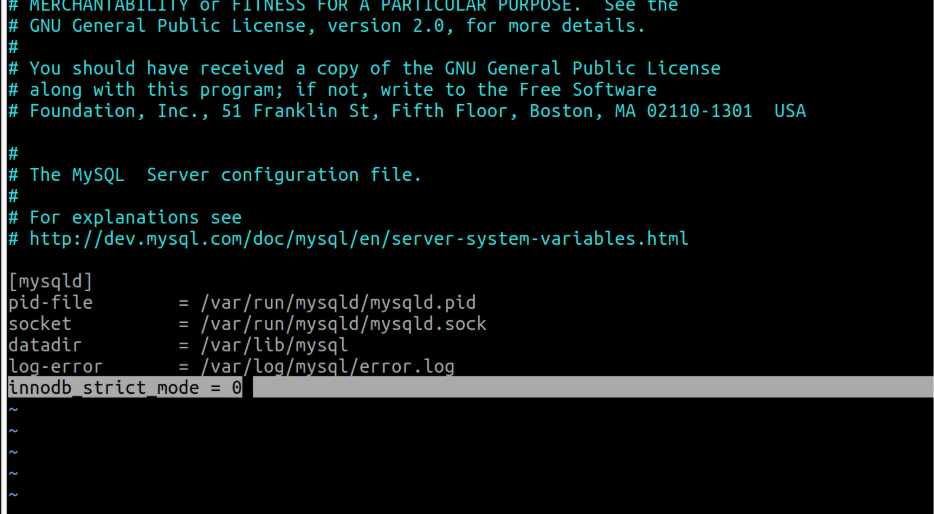
NB: Skipping the step above may result in encountering the error below:
ERROR 1118 (42000) at line 3483: Row size too large (> 8126). Changing some columns to TEXT or BLOB may help. In current row format, BLOB prefix of 0 bytes is stored inline.
-
Load metadata in the fresh database before restoring the new database
-
Run ./bin/update_art_metadata.sh production
Testing
-
Ensure all applications are functioning properly.
-
Verify that all syncing cron jobs are operating correctly.
-
Confirm remote accessibility via VPN.
-
Test all EBNs and J2s to ensure they are working properly and can pull the application
Things to Note
-
Most apps running using services and the service files are in /etc/systemd/system
-
Emr-api.service
-
Nlims-controller.service
-
Nlims-data-syncronizer.service
-
Mlab-api.service
-
Lims-websocket
-
BHT-EMR-API in /var/www directory has been changed to just EMR-API.
-
Database for EMR-API is running in Production mode.
-
This means that you need to specify production mode when running initialization script, migration/metadata scripts
-
Old Iblis DB still uses mysql 5.6 is running on docker and can be accesses on port 3307
If other implementing partners are using the server make sure you contact them
for them to do their backups.
No Comments