
Point of Care
-
EMR and E-Mastercard Update process
1. Introduction
This report provides an overview of how facility systems for the Point of Care and e-Mastercard applications are updated. Both applications are critical to healthcare service delivery, and maintaining them at the latest version is essential for functionality, security, and alignment with national standards and PEPFAR reporting standards.
2. System Overview
2.1 Point of Care
-
Server Setup: Each facility hosts a local server that runs the Point of Care application and other ancillary services. The server is connected to the facility’s internal network but not to the internet.
-
Update Methods: Updates are applied remotely through auto-deployment where possible, or manually by HIS officers during scheduled visits.
2.2 e-Mastercard
-
Usage: e-Mastercard is used on dedicated laptops, with the application running locally on the laptop.
-
Update Approach: HIS officers visit the facilitiy and connect to the internet to pull the latest changes from the internet and updated or through and offline build.
3. Device Types and Update Mechanisms
-
EBN Gadgets and J2’s
-
Connect to the facility server through a web browser.
-
Receive updates automatically once the server is upgraded.
-
Ocom POS Devices / Tablets(Android-based)
-
Operate offline without internet connectivity.
-
Require updates through APK installation.
-
Updates are delivered manually, typically using flash drives or memory cards.
4. Update Challenges
-
Limited Auto-Deployment Coverage: Auto-deployment is effective for network-connected devices but excludes Android devices.
-
Manual Updates: Updating Ocom POS devices depends on HIS officers traveling to facilities, which can be delayed due to transportation and resource constraints.
-
Version Disparities: Facilities sometimes run different application versions across devices, leading to inconsistencies in functionality and reporting.
-
This is due to our release cycle which may include incremental version updates if any major bugs are reported during the reporting cycle
5. Mitigation Strategies
-
Distribution of APK Files: Clinical staff are provided with APK files so they can perform manual updates on Android devices when HIS officers are unavailable.
-
Regular Facility Visits: HIS officers are encouraged to conduct periodic on-site visits to verify that all devices run the latest version.
-
Capacity Building: Training facility staff on basic update procedures reduces reliance on HIS officers for routine updates.
6. Monitoring
-
Though monitoring for the web versions is possible, monitoring the android versions is impossible as there is no way of verifying the app version on the device as we do not have remote access to the devices.
-
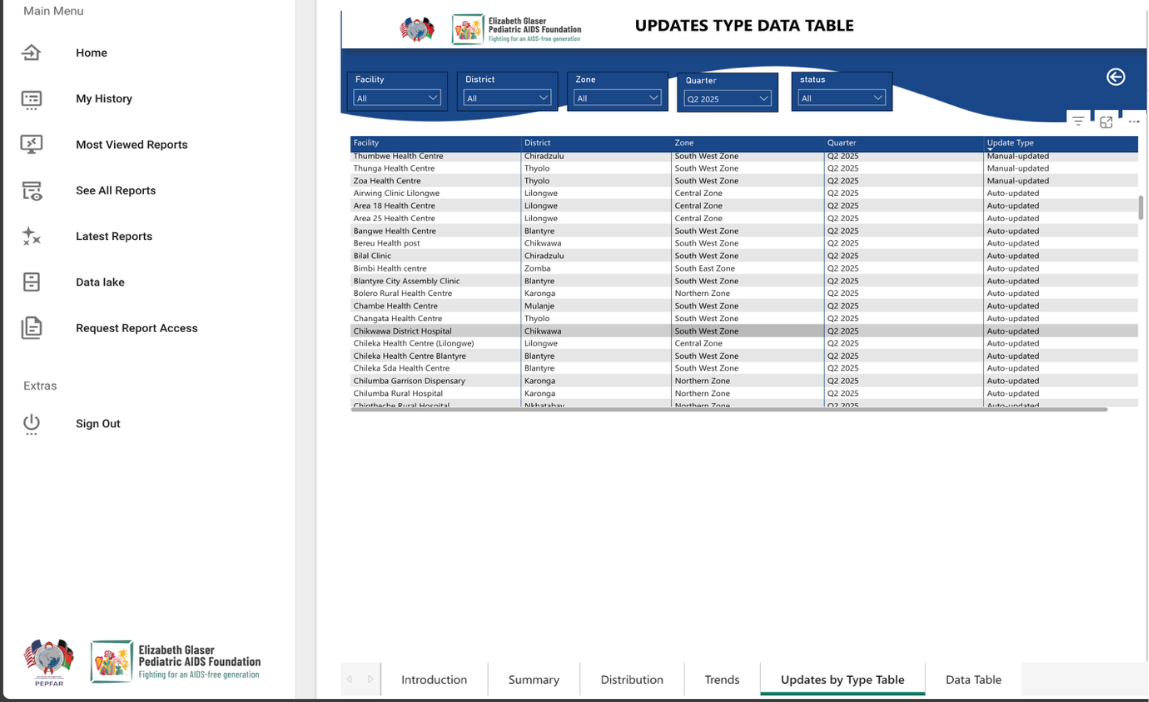
A dashboard for auto deployments is available on the Malawi Analytics Platform which shows sites updated through auto deployments and those done manually
-
No Comments